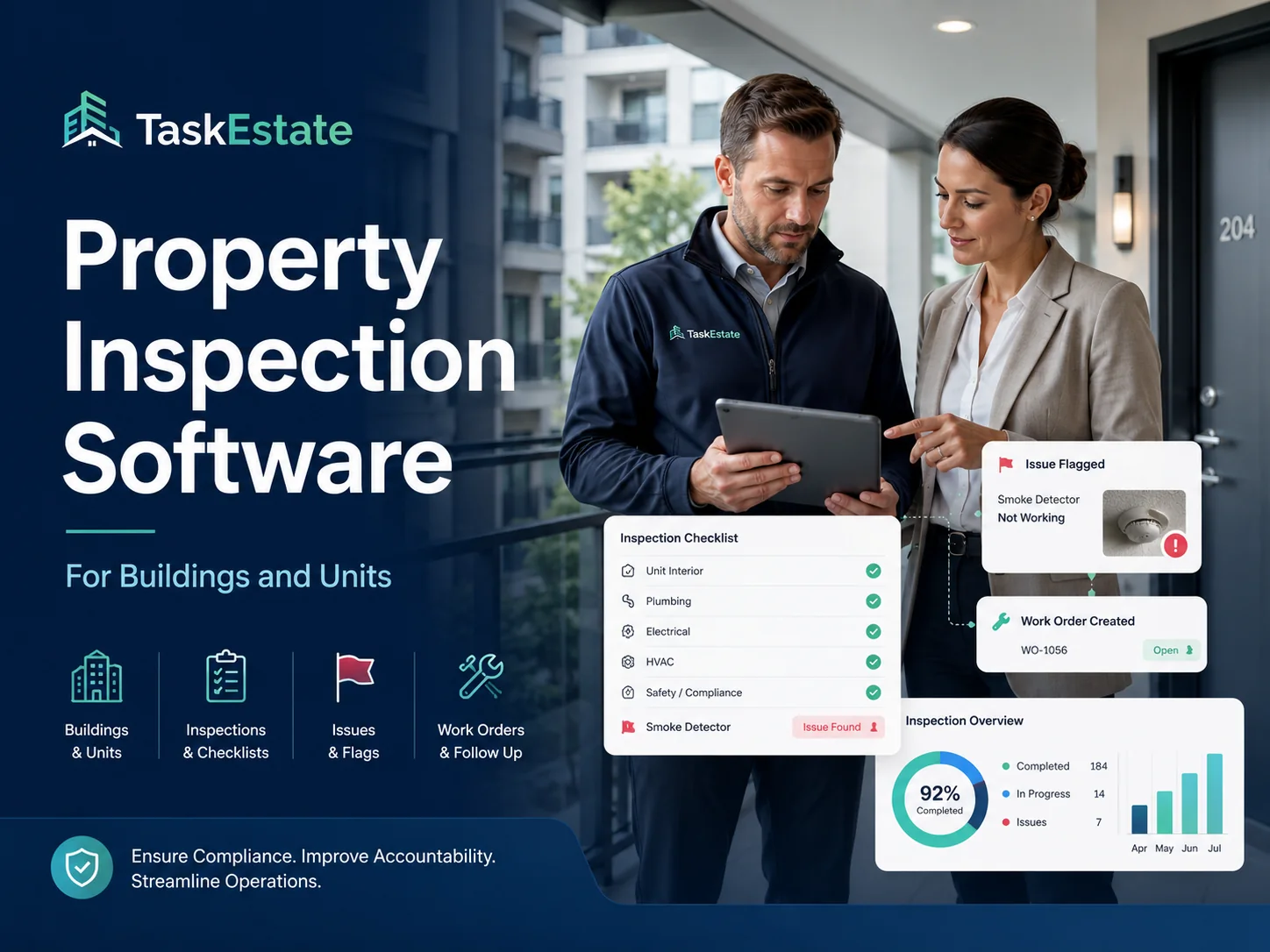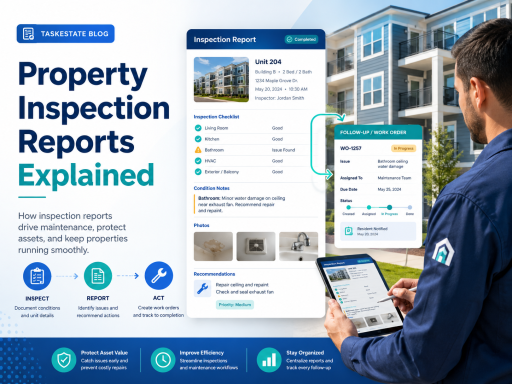
Property inspection reports help property managers document building conditions, unit issues, maintenance needs, safety concerns, and completed repairs in a structured format.
For growing property teams, inspection reports are more than simple checklists. They create a written record that connects inspections, maintenance tracking software, repair requests, work orders, vendors, and long-term property maintenance planning.
What Is a Property Inspection Report?
A property inspection report is a documented summary of what was reviewed during an inspection. It may cover an apartment unit, building, common area, exterior area, asset, appliance, safety item, or maintenance concern.
A strong report does not only say that an inspection happened. It explains what was checked, what condition was found, what action is needed, who is responsible, and whether the issue should become a maintenance request or work order.
Why Property Inspection Reports Matter
Property managers often manage many units, buildings, residents, vendors, and maintenance issues at the same time. Without a clear inspection report, important details can be lost in emails, notes, photos, spreadsheets, or verbal updates.
Inspection reports help property teams create a more reliable maintenance process. They support accountability, improve follow-up, and make it easier to identify recurring problems across a property portfolio.
What Should Be Included in a Property Inspection Report?
A professional inspection report should be simple to read but detailed enough to support maintenance decisions. The exact format may vary, but most property inspection reports should include:
Property and Unit Details
Include the property name, building, unit, area inspected, inspection date, inspector name, and any related resident or maintenance request information.
Condition Notes
Record the condition of inspected items, including appliances, plumbing, electrical fixtures, flooring, walls, doors, windows, HVAC, and common areas.
Maintenance Issues
Note anything that requires repair, replacement, vendor review, preventive maintenance, or follow-up by the property maintenance team.
Recommended Action
Identify whether the issue should be monitored, scheduled, assigned, escalated, or converted into a maintenance work order.
Inspection Reports and Maintenance Work Orders
One of the most important parts of an inspection report is the connection between what was observed and what action happens next. If an inspector finds a leaking sink, damaged flooring, broken fixture, safety concern, or recurring maintenance problem, that finding should not remain buried inside a static document.
The better approach is to connect inspection findings to work order tracking. This allows property managers to assign the issue, track progress, document completion, and maintain a reliable repair history.
TaskEstate supports this type of operational workflow through property inspections, helping teams move from inspection notes to clearer maintenance action.
Common Types of Property Inspection Reports
Property managers may use several types of inspection reports depending on the property, lease stage, maintenance process, and compliance needs.
- Move-in inspection reports document the condition of a unit before occupancy.
- Move-out inspection reports help compare property condition after a resident leaves.
- Routine unit inspection reports help identify repair needs before they become larger problems.
- Building maintenance inspection reports track common areas, equipment, exterior issues, and shared systems.
- Preventive maintenance inspection reports support scheduled reviews of HVAC, plumbing, safety items, appliances, and property assets.
- Work order inspection reports verify whether maintenance work was completed correctly.
How Inspection Reports Improve Maintenance Tracking
Maintenance tracking software becomes more valuable when inspection reports are connected to repair workflows. Instead of keeping inspection notes separate from work orders, property managers can use inspection data to identify what needs attention and monitor whether the work was completed.
Connecting inspection findings with repair workflows is especially useful for teams managing multiple units, buildings, vendors, and recurring maintenance issues.
With TaskEstate, property teams can strengthen their maintenance process by connecting inspections with work order management and ongoing maintenance follow-up.
Digital Reports vs Paper Inspection Forms
Paper forms can work for a single inspection, but they are difficult to search, share, compare, and connect to maintenance work. Photos may be stored separately, notes may be incomplete, and follow-up tasks may depend on manual reminders.
Digital property inspection reports give property managers a more organized way to document findings and connect those findings to maintenance operations. This helps reduce missed repairs, improves visibility, and creates a better record for future decisions.
Best Practices for Better Property Inspection Reports
A good report should be clear enough for managers, maintenance teams, and vendors to understand without guessing. The report should document the issue, location, severity, recommended action, and follow-up status.
- Use consistent inspection categories across properties
- Document the exact unit, room, area, or asset
- Separate minor notes from urgent maintenance issues
- Attach inspection findings to work orders when action is needed
- Track whether repairs are completed, delayed, or waiting on a vendor
- Review inspection history to identify recurring problems
- Use reports to support preventive maintenance planning
Why Property Managers Need Inspection Reporting Software
Inspection reporting software helps property managers move beyond static documents. The goal is not only to record what was found, but to make the information useful for maintenance coordination, repair tracking, vendor assignments, and portfolio visibility.
When inspection reports are part of a property maintenance system, managers can better understand which properties need attention, which issues are recurring, and which work orders were created from inspection findings.
Manage Inspections, Requests, and Maintenance in One Workflow
TaskEstate helps property teams organize inspections, maintenance requests, work orders, asset records, and reporting in one practical platform for property maintenance operations.
Explore Property Maintenance SoftwareTurning Inspection Reports Into Action
The most useful property inspection report is one that leads to clear next steps. If a report identifies a repair, safety issue, asset concern, or resident-related maintenance problem, the next action should be easy to assign and track.
TaskEstate helps property managers create a more connected process where inspection findings can support maintenance tracking, work order management, and long-term property care.
Inspection Report Checklist
- Property and unit
- Inspection date
- Inspector notes
- Condition status
- Photos or attachments
- Repair recommendations
- Work order follow-up