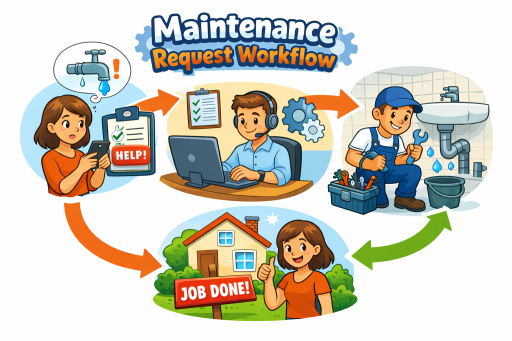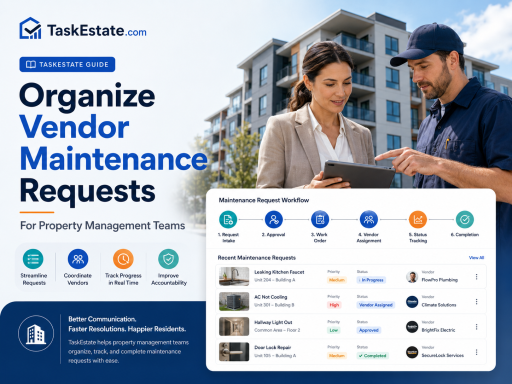
Vendor maintenance requests can quickly become difficult to manage when details are scattered across emails, phone calls, spreadsheets, text messages, and separate property files. A structured workflow helps property managers assign the right vendor, track progress, document completion, and maintain a reliable maintenance history across every property.
Why Vendor Maintenance Requests Need a Clear Process
Property management teams often rely on outside vendors for plumbing, HVAC, electrical repairs, appliance service, landscaping, cleaning, pest control, emergency response, and specialty repairs. Without an organized process, vendor-related work can create delays, duplicate follow-ups, unclear accountability, missing documentation, and incomplete repair history.
A better vendor maintenance workflow gives managers one consistent way to receive, review, assign, schedule, document, verify, and report vendor work. This is especially important for apartment communities, rental portfolios, commercial buildings, and multi-property operations where many people may be involved in one repair.
Common vendor maintenance problems
- Vendor requests are submitted without enough details.
- Work orders are assigned but not clearly tracked.
- Managers do not know whether the vendor has scheduled the job.
- Completion notes, photos, costs, or invoices are missing.
- Inspections are not connected to vendor repairs.
- Recurring issues are hard to identify because asset history is incomplete.
Start With a Standard Vendor Request Intake Process
Every vendor maintenance request should begin with complete and consistent intake information. The goal is to capture enough detail before the request becomes a work order, so the manager does not need to chase basic information later.
At minimum, the request should include the property, building, unit or common area, issue category, priority level, resident or staff contact, access notes, photos when available, and a clear description of the problem. If the issue may require a vendor, the intake record should also identify the likely trade or service type, such as plumbing, HVAC, electrical, appliance repair, cleaning, pest control, or general contracting.
When all maintenance activity is managed inside a centralized system, property teams can reduce missed information and keep vendor work connected to the larger maintenance workflow. TaskEstate’s property maintenance software helps teams organize requests, work orders, inspections, vendors, assets, and reporting in one structured platform.
Review the Request Before Assigning a Vendor
Not every maintenance request should go directly to an outside vendor. Property managers should first review the issue to determine whether it can be handled by internal staff, requires a vendor, needs approval, or should be escalated as urgent.
A strong review step helps prevent unnecessary service calls, budget waste, duplicate vendor assignments, and confusion about who owns the task. The review should answer several practical questions:
- Is this an emergency, urgent issue, routine repair, or preventive task?
- Does the request have enough information to assign the right vendor?
- Is the vendor approved or preferred for this property?
- Does the work require management approval before scheduling?
- Is the issue connected to an existing work order, asset, inspection, or recurring problem?
For recurring, seasonal, or required maintenance tasks, managers can also use a compliance calendar to keep scheduled responsibilities visible and reduce the chance that important maintenance deadlines are missed.
Create a Trackable Work Order for Vendor Jobs
Once a vendor is needed, the request should be converted into a trackable work order. This gives the property manager a clear operational record instead of relying on a loose email thread or phone conversation.
A vendor work order should include the scope of work, assigned vendor, property and unit details, priority, target date, scheduled date, access instructions, tenant coordination notes, estimated cost if available, attachments, and current status. The status should make it easy to see whether the work is new, scheduled, in progress, waiting, completed, or closed.
| Workflow Step | What to Track | Why It Matters |
|---|---|---|
| Request review | Issue details, priority, location, approval needs | Prevents unclear assignments and unnecessary vendor calls |
| Vendor assignment | Vendor name, trade, contact, scheduled date | Creates accountability for outside service work |
| Work progress | Status updates, notes, delays, access issues | Reduces manual follow-ups and status confusion |
| Completion | Completion date, repair notes, photos, cost details | Builds a reliable maintenance record |
| Verification | Inspection result, manager review, follow-up tasks | Improves quality control and reduces repeat work |
Keep Vendor Communication Connected to the Maintenance Record
Vendor communication becomes difficult to manage when updates are split between personal phones, inboxes, paper notes, and separate spreadsheets. Property managers should keep important vendor notes connected to the work order, including scheduling updates, access issues, parts delays, change requests, completion comments, and cost information.
This creates a shared record for managers, maintenance coordinators, inspectors, and owners. If a resident asks for an update or a supervisor reviews vendor performance, the team can look at the same work order history instead of reconstructing the story from disconnected messages.
For property teams comparing operational tools, the full TaskEstate features page shows how requests, work orders, inspections, assets, reporting, and role-based access work together inside one property maintenance platform.
Use Asset History to Make Better Vendor Decisions
Vendor maintenance requests are easier to evaluate when the team can see asset history. If an HVAC unit, appliance, water heater, gate system, or building component has repeated service calls, the manager needs context before approving another repair.
Asset records help answer important questions: How old is the asset? When was it installed? Has the same issue happened before? Which vendor worked on it last? Is the repair still cost-effective, or should replacement be considered?
By using asset installation records, property managers can connect vendor work to equipment history and make better repair-versus-replace decisions over time.
Verify Important Vendor Work With Inspections
For high-impact repairs, recurring problems, turnovers, safety-related items, or resident-sensitive work, vendor completion should not always mean the job is fully closed. A manager or inspector may need to verify that the work was completed correctly and that the property condition is acceptable.
Inspection follow-up helps property teams document quality, confirm outcomes, capture photos, and create follow-up tasks if something is incomplete. This is especially useful for water damage repairs, electrical issues, appliance replacements, common area work, habitability-related concerns, and move-out repairs.
TaskEstate’s property inspections feature helps teams document inspection findings and connect them to maintenance activity when additional action is needed.
Track Vendor Performance Over Time
Organizing vendor maintenance requests is not only about completing today’s repair. It also helps property managers understand which vendors are reliable, responsive, cost-effective, and consistent across different properties.
Useful vendor performance signals may include response time, completion time, reopen rate, repeat work orders, cost trends, inspection failures, missed appointments, communication delays, and volume of work by vendor or trade category.
When these details are tracked consistently, managers can make better decisions about preferred vendors, contract renewals, emergency response lists, and maintenance budgeting.
Build a Vendor Maintenance Workflow Property Teams Can Repeat
A repeatable process helps every team member handle vendor work the same way. Instead of deciding from scratch each time, property managers can standardize the workflow from request intake to final review.
- Receive the maintenance request. Capture property, unit, issue, priority, access notes, and supporting details.
- Review and approve the request. Decide whether internal staff or an outside vendor should handle the work.
- Create a vendor work order. Define the scope, assignment, schedule, and required documentation.
- Track status updates. Monitor whether the work is scheduled, in progress, waiting, completed, or delayed.
- Document completion. Record completion notes, photos, cost details, vendor comments, and any follow-up needs.
- Verify when needed. Use inspections or manager review for important repairs and recurring issues.
- Review performance. Use maintenance history to evaluate vendors, recurring problems, and operational bottlenecks.
Organize Vendor Maintenance Requests With TaskEstate
TaskEstate helps property management teams centralize maintenance requests, vendor work orders, inspections, asset records, and reporting in one organized workflow. Instead of managing vendor repairs through scattered messages and manual spreadsheets, teams can create clearer accountability from the first request to final completion.
For property managers who want a more structured way to manage daily maintenance operations, vendor coordination, compliance tasks, inspections, and asset history, TaskEstate provides a practical platform built around real property maintenance workflows.
FAQ: Vendor Maintenance Requests for Property Management
What is a vendor maintenance request?
A vendor maintenance request is a repair or service issue that needs to be handled by an outside contractor, service provider, or specialized vendor instead of internal maintenance staff.
How should property managers organize vendor maintenance requests?
Property managers should use a structured workflow that captures request details, reviews the issue, assigns the correct vendor, tracks work order status, records completion notes, and verifies the work when needed.
What information should be included in a vendor work order?
A vendor work order should include the property, building, unit or location, issue description, priority, assigned vendor, scheduled date, access instructions, status, completion notes, photos, cost details, and follow-up requirements.
Why is vendor documentation important in property management?
Vendor documentation helps property managers maintain accountability, answer resident or owner questions, review repair history, evaluate vendor performance, and reduce confusion when multiple people are involved in the maintenance process.
Should vendor repairs be inspected after completion?
Not every repair requires an inspection, but important repairs, recurring problems, safety-related work, turnovers, and resident-sensitive issues should often be reviewed to confirm quality and document final condition.
How can asset records improve vendor maintenance decisions?
Asset records show installation dates, equipment history, prior repairs, and recurring issues. This helps managers decide whether another repair is reasonable or whether replacement should be considered.
Can software help with vendor maintenance tracking?
Yes. Property maintenance software can help organize vendor requests, create work orders, track statuses, document completion, connect inspections, maintain asset history, and report on maintenance performance across properties.