If your maintenance team relies on emails, spreadsheets, and phone calls, status tracking becomes inconsistent by default. Work gets done, but the organization cannot reliably answer operational questions: What is still open? What is blocked? Who owns the next step? How long has the request been waiting—and why?
The solution is not more communication. The solution is a standardized set of maintenance statuses and an audit-ready trail that makes ownership and progress visible in one place. This article explains how to design a practical status system, how to enforce it across roles, and how to connect it to adjacent operational modules—especially reporting and inspections—so your work order process becomes measurable and repeatable.
Why Status Standards Matter for Property Managers
In property maintenance, speed and accountability depend on predictability. When different people use different labels (“Started,” “Working,” “On it,” “Pending,” “Waiting”), you lose operational control. Requests get stuck in limbo, follow-ups multiply, and reporting becomes unreliable.
A standardized status model enables three outcomes property managers care about:
- Clear ownership: everyone knows who is responsible for the next action.
- Faster response time: blockers are visible early (parts, access, vendor, approval).
- Audit-ready history: every work order has a consistent timeline of decisions and actions.
This is easiest to implement when work execution is managed through a centralized workflow such as work order management software for property maintenance, rather than scattered channels that do not preserve a unified history.
Design Principles for Maintenance Statuses
Before choosing status names, apply these principles. They prevent “status sprawl” and keep the system useful for both staff and leadership.
1) Each status must imply a next step
A good status answers: “What happens next?” For example, “Waiting on Parts” tells a manager the job is blocked and indicates the next step is procurement and scheduling.
2) Keep the set small, but expressive
Too few statuses hide real blockers. Too many statuses cause inconsistent usage. Aim for 8–14 core statuses that cover the lifecycle and common blockers.
3) Separate progress from closure
“Completed” often means “work performed,” while “Closed” should mean “verified and finalized.” This distinction reduces repeat complaints and supports inspections.
4) Standardize blockers explicitly
Most delays come from a few predictable blockers: access, parts, vendor scheduling, and approval. If blockers are not explicit statuses, they become invisible.
5) Enforce status change discipline through roles
Not everyone should be able to approve, close, or cancel work. Tie governance to permissions using user and role management so the audit trail reflects real authority.
A Practical Status Framework for Property Maintenance
The framework below is intentionally pragmatic for property managers overseeing daily operations across multiple buildings and units. Adjust naming to your organization, but keep the functional meaning consistent.
| Status | Meaning | Expected Next Step | Owner |
|---|---|---|---|
| New | Request received; not yet reviewed | Review details and set priority | Manager/Coordinator |
| Needs Review | Missing info or clarification required | Gather details from resident or site team | Manager/Coordinator |
| Approved | Authorized to proceed | Assign and schedule work | Manager |
| Scheduled | Appointment or planned time is set | Perform work at scheduled time | Maintenance |
| In Progress | Work has started | Complete work or mark blocker | Maintenance |
| Waiting on Access | Cannot enter unit/area | Coordinate access and reschedule | Manager/Coordinator |
| Waiting on Parts | Blocked due to procurement | Order parts; update ETA; reschedule | Maintenance/Procurement |
| Waiting on Vendor | External vendor required | Schedule vendor; confirm scope | Manager/Coordinator |
| Completed | Work performed | Verify outcome; document completion | Maintenance |
| Inspection Required | Needs verification step | Conduct inspection; approve closure | Inspector/Manager |
| Closed | Verified and finalized | No further action | Manager/Inspector |
| Cancelled | No longer needed or invalid | Record cancellation reason | Manager |
This structure aligns to a clean lifecycle and makes blockers visible. It also supports a closed-loop workflow where work is verified before final closure—especially important when inspections are part of your standard operating procedures.
Work Orders ↔ Reporting ↔ Inspections: Make Statuses Measurable
Statuses are most valuable when they power decisions. That requires two adjacent modules: reporting (to measure performance) and inspections (to verify outcomes and reduce repeats).
Use reporting to expose bottlenecks
When every work order moves through standardized statuses, you can quantify where time is spent. For example, if “Waiting on Access” is common, the fix is not “work faster”—it is improving scheduling and access coordination. If “Waiting on Parts” dominates, procurement and stocking policies should be reviewed.
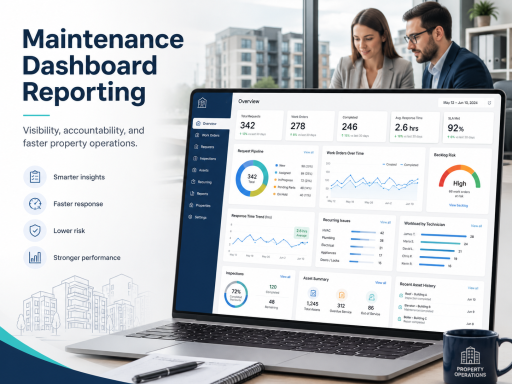
For portfolio visibility, dashboards, and trend analysis, connect status discipline to maintenance dashboards and reporting. This enables property managers to track cycle time, backlog age, blocker frequency, and recurring issues by building and unit.
Use inspections to validate closure quality
A common operational failure is treating “Completed” as the end of the work. In reality, “Completed” often means “work performed,” not “outcome verified.” Introducing an “Inspection Required” status is a practical way to protect quality without slowing routine repairs.
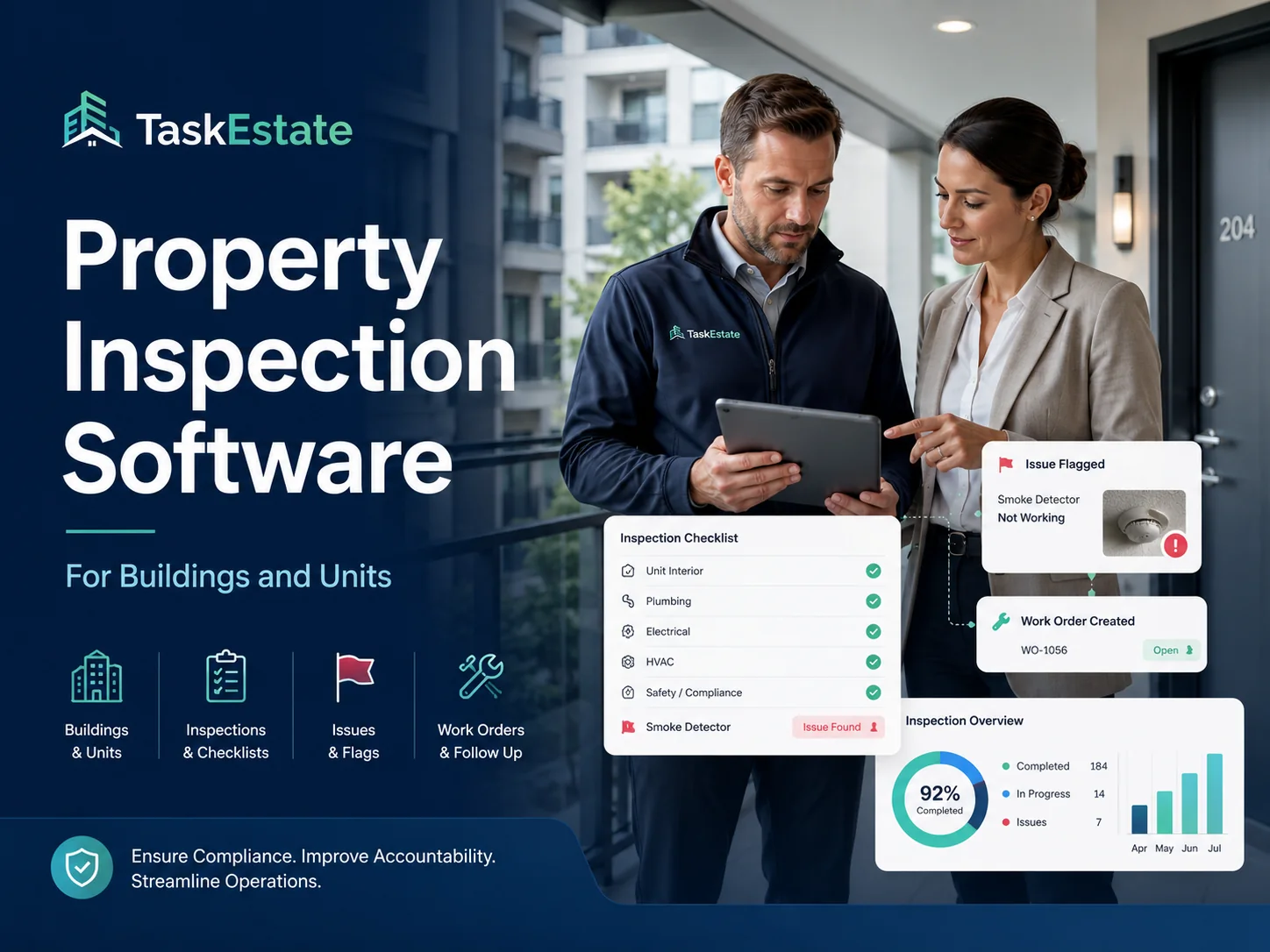
For inspection workflows that verify outcomes and trigger follow-ups when needed, use property inspections as the quality checkpoint that turns closure into a reliable standard.
Properties/Units ↔ Assets ↔ Reporting: Add Context to the Audit Trail
An audit-ready trail is only useful if it is tied to the correct context. A work order should always be associated with the right unit and building, and recurring issues should connect to asset history wherever practical.
Location context prevents “history loss”
When the same problem happens again in a unit, you should be able to see prior work immediately—what was done, when, and by whom. That depends on a consistent portfolio structure supported by property, building, and unit management. It keeps operational data clean and makes performance reporting credible.
Asset context supports lifecycle decisions
If a work order touches a major asset (HVAC, water heater, appliances, key systems), asset context helps teams avoid repeated diagnostics and make better repair-versus-replace decisions. Status timelines also become more meaningful when linked to what was installed and when.
For lifecycle continuity, connect recurring work to asset installation records so reporting can distinguish one-off incidents from chronic failures that warrant replacement planning.
Operational Standards That Make Status Tracking Stick
Status definitions alone are not enough. Adoption improves when teams use simple rules that reduce ambiguity and standardize behavior across roles.
Define “entry criteria” for each status
- Scheduled: date/time agreed and recorded.
- In Progress: technician has started work on site or actively diagnosing.
- Waiting on Parts: parts order initiated and ETA recorded in notes.
- Completed: work performed; completion notes added.
- Closed: verified outcome and documentation complete.
Require a reason note for blockers and cancellations
Blocker statuses are only useful when the reason is recorded (e.g., “resident unavailable,” “vendor lead time,” “access key needed”). This turns the audit trail into operational intelligence.
Keep resident intake structured to reduce “Needs Review” volume
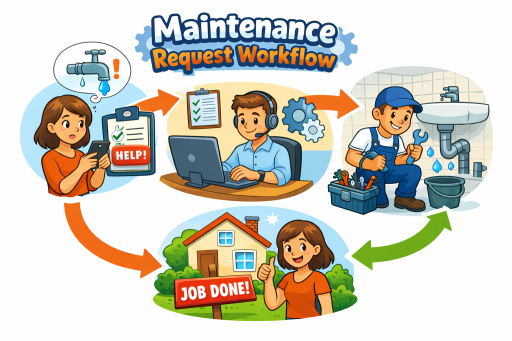
If many items enter “Needs Review,” improve intake by standardizing what residents submit. This is easiest when intake is centralized through a resident-facing workflow and connected to the broader maintenance operation within property maintenance software.
Make status movement a daily habit
The best practice is simple: if the next step changes, the status changes. When teams treat statuses as a living workflow rather than an afterthought, managers gain visibility without chasing updates.
Key Metrics Your Status Model Should Enable
A standardized status system should produce reliable metrics that property managers can act on. At minimum, ensure you can measure:
- Time to review: New → Approved (or New → Needs Review → Approved)
- Time to assign: Approved → Scheduled/In Progress
- Time to complete: Scheduled/In Progress → Completed
- Time to close: Completed → Closed (including inspection verification where applicable)
- Backlog age: open work orders by age bands
- Blocker frequency: % of work orders entering each blocker status
- Repeat work indicator: recurring issues by unit/building/property
These metrics become materially more useful when your reporting is portfolio-aware and consistently structured across locations and teams.
Implementation Checklist for Property Managers
- Finalize your status set and define each status with a one-sentence meaning and next step.
- Choose 3–4 explicit blocker statuses (access, parts, vendor, approval) and require reason notes.
- Separate “Completed” from “Closed” to protect quality and enable verification.
- Align permissions so approvals, cancellations, and closures reflect authority.
- Train with examples (one emergency, one routine, one vendor job, one access issue).
- Review metrics weekly to identify bottlenecks and adjust operational playbooks.
Make Status Tracking Part of a Centralized Workflow
If your maintenance operation still depends on manual updates across disconnected tools, status standards are the fastest way to improve response time and accountability—especially when paired with portfolio reporting and inspection verification.
For teams evaluating a centralized platform, review options and packaging on the pricing page, and ensure your resident intake workflow is designed to reduce follow-ups through the resident maintenance requests portal.
FAQ
How many maintenance statuses should we use?
Most property maintenance teams operate well with 8–14 core statuses. Keep it small enough for consistent adoption, but include explicit blocker statuses (access, parts, vendor) so delays are visible and measurable.
Should “Completed” and “Closed” be separate statuses?
Yes. “Completed” typically means work was performed; “Closed” means the outcome is verified and finalized. Separating them improves quality control, reduces repeat issues, and supports an audit-ready trail.
What is the biggest reason status tracking fails?
Ambiguity. If statuses do not imply a clear next step—or if blockers are not explicit—teams use them inconsistently. Clear definitions, required notes for blockers, and role-based governance make tracking reliable.