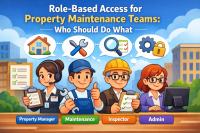
Why Security and Permissions Matter in Property Maintenance Software
Security in property maintenance software is not only about protecting login access. It is also about creating a
reliable operating structure where each user has the right level of responsibility. A regional manager may need
portfolio-wide visibility, while a maintenance technician may only need access to assigned work orders. An inspector
may need inspection forms and completion records, while a leasing or office team member may only need limited request
visibility.
When permissions are properly configured, property managers can reduce mistakes, protect sensitive information, and
maintain a cleaner audit trail. Every action becomes easier to understand because access is tied to a user, a role,
and a responsibility. This is especially valuable when reviewing completed work, tracking overdue tasks, investigating
maintenance delays, or preparing reports for owners and supervisors.
Better User Management Creates Better Operational Control
Clear user management gives property teams a stronger foundation for daily maintenance operations. Instead of giving
every employee the same access, managers can assign permissions based on real job duties. This helps prevent
unauthorized changes, accidental updates, duplicate assignments, and unnecessary exposure of property or resident
information.
For growing property management companies, permission control also supports scalability. As new users, properties,
vendors, and maintenance responsibilities are added, a structured role system makes it easier to maintain consistency
across the organization. The result is a more secure, professional, and manageable maintenance process.
Common Topics Covered in This Category
The articles in this category may cover topics such as property maintenance user roles, role-based access control,
permission planning, staff access levels, vendor access, manager approvals, account security, operational audit trails,
and best practices for organizing users across multiple properties.
Whether you manage one property or a larger portfolio, strong security and permission settings can help your team
work with more confidence. The goal is to give every user enough access to do their job while keeping sensitive
information and critical maintenance actions properly controlled.
FAQ: Security, Users & Permissions
What are user permissions in property maintenance software?
User permissions define what each person can access or change inside the system. For example, one user may be
allowed to create work orders, while another may only view assigned tasks or inspection results.
Why do property managers need role-based access control?
Role-based access control helps property managers assign access based on job responsibilities. This reduces
security risks, limits accidental changes, and keeps maintenance workflows more organized.
Should vendors have the same access as internal staff?
Usually, vendors should have limited access. They may only need to see assigned jobs, schedules, notes, or
completion requirements. Limiting vendor access helps protect internal records and resident-related information.
How do permissions improve maintenance accountability?
Permissions connect actions to specific users and responsibilities. This makes it easier to see who created,
assigned, updated, approved, or completed a task, which supports better reporting and accountability.
Can permission control help growing property management companies?
Yes. As teams, properties, and vendors increase, permission control helps standardize access across the company.
This makes operations easier to manage and reduces the risk of disorganized or excessive access.