Inspections are only as valuable as the actions they produce. In many property operations, inspection findings end up in notes, PDFs, emails, or spreadsheets—useful in theory, but disconnected from the maintenance workflow that actually resolves issues. The result is predictable: delayed follow-up, inconsistent accountability, repeat problems, and limited portfolio visibility.
This article provides a practical, operationally realistic process for converting inspection findings into work orders with speed and control. The goal is straightforward: reduce the gap between “identified” and “fixed” by connecting inspections to assignment, tracking, and performance measurement—without creating administrative overhead.
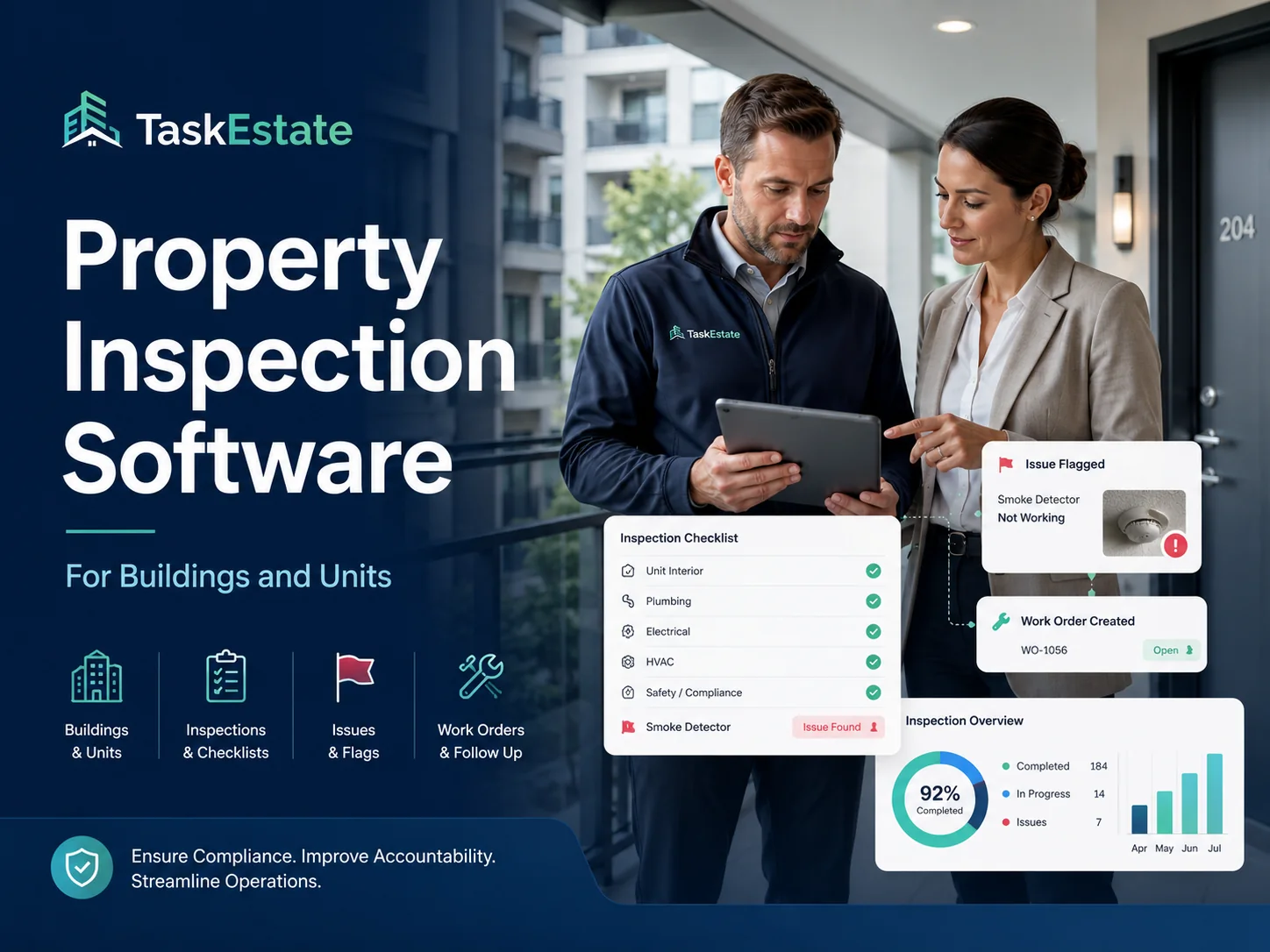
For teams implementing or improving inspection workflows, start with a structured inspection system designed for buildings and units using property inspection software, then connect findings to execution through a disciplined work order lifecycle.
Why Inspection Findings Get Lost
Most inspection programs fail at the handoff. Even when inspections are thorough, the follow-up process often relies on manual steps—copying notes into emails, creating work orders by hand, or “remembering” to address issues later. Common breakdown points include:
- Unstructured findings: issues are described inconsistently, making triage and assignment slow.
- No ownership: findings lack an assigned party and due date, so nothing moves.
- No location context: findings are not reliably tied to the correct unit/building/property, weakening history and reporting.
- No performance measurement: leadership cannot quantify inspection-driven workload, completion time, or repeat issues.
The fix is not “more reminders.” The fix is a standardized inspection-to-work-order workflow that creates a single operational record from discovery through completion.
The Inspection-to-Work-Order Workflow
The process below is designed to be repeatable across properties and scalable across teams. It works for routine unit inspections, common-area inspections, move-in/move-out checks, safety reviews, and compliance programs.
Step 1: Standardize Inspection Templates and Outcomes
Consistency is the foundation. If inspectors record issues differently each time, you will struggle to triage, prioritize, and report. Standardizing inspection fields makes it possible to convert findings into actionable work orders with minimal rework.
Operational standards to define:
- Issue categories: plumbing, electrical, HVAC, appliances, safety, common areas, etc.
- Severity levels: emergency, urgent, routine, monitor.
- Required evidence: notes, photos, or specific check results where applicable.
- Expected outcomes: repair, replace, schedule follow-up inspection, or monitor.
This is where inspection tooling matters. A structured inspection workflow reduces ambiguity and makes conversion into work orders predictable.
Step 2: Tie Every Finding to Portfolio Structure
Inspection findings become far more useful when they are anchored to the correct place in your portfolio. Location-aware findings allow you to:
- Build unit-level history (repeat issues, recurring failures, prior remediation)
- Reduce duplicate diagnostics (what was already inspected and addressed)
- Report results by unit, building, and property with confidence
Ensure inspections map to your portfolio structure using property, building & unit management. This keeps inspection activity and follow-up work aligned to the same operational model.
Step 3: Convert Findings Into Work Orders Using Clear Trigger Rules
“Automatically” does not have to mean “without oversight.” It means the system creates work order-ready items based on defined trigger rules, removing manual transcription and preventing gaps. The best trigger rules are simple and repeatable.
Recommended trigger logic:
- Emergency and safety findings: always generate a work order immediately.
- Urgent findings: generate a work order with a required due date and escalation path.
- Routine findings: generate a work order or create a queued item for manager approval depending on cost/impact.
- Monitor items: schedule a follow-up inspection rather than a work order unless the condition worsens.
Once triggered, findings should flow into a structured execution lifecycle through work order management software for property maintenance, where assignment, tracking, and closeout are standardized.
Step 4: Apply Approval Controls Without Creating Bottlenecks
Approvals protect budgets and priorities, but approvals can also slow maintenance if they are overly manual. The objective is to approve what must be approved and move everything else quickly.
Practical approval approaches:
- Auto-approve: routine, low-cost items (e.g., minor repairs) triggered by inspection.
- Manager approval required: higher-cost items, vendor work, or items that impact resident scheduling.
- Conditional approval: if severity is “urgent” or “safety,” bypass approval and notify managers simultaneously.
When approvals are clearly defined, the inspection program scales without turning into a bottleneck factory.
Step 5: Assign Work to the Right Team With Minimal Friction
Conversion only matters if execution is fast. Assignment should be based on clear ownership rules—by property, building, trade, or team capacity. Maintain a consistent “ready to work” standard so technicians receive complete information and can complete the job without repeated clarifications.
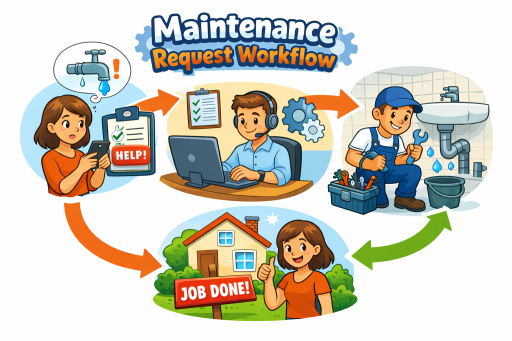
If resident access is required, align your workflow with the same intake discipline used for resident requests. A consistent intake model reduces scheduling issues and improves completion speed; that discipline starts with resident maintenance requests and extends naturally into inspection-driven follow-up work.
Step 6: Close Out Work With Verification and Inspection Feedback
Inspection-driven work should not close the loop by assumption. The system should support a clear verification mechanism so teams know whether the fix addressed the original finding.
Recommended closeout controls:
- Closeout notes: what was done, what was replaced, what remains pending.
- Evidence: photos or documentation for compliance-sensitive issues.
- Re-inspection triggers: for safety, compliance, or recurring issues.
When inspection feedback is part of closeout, you reduce repeat work orders and maintain higher quality outcomes.
Properties/Units ↔ Assets ↔ Reporting: Add Lifecycle Context to Inspection Findings
Inspection findings are often symptoms of asset lifecycle problems—aging equipment, repeated failures, or improper previous fixes. If you treat every finding as a one-off, you will repeat the same work year after year. The operational upgrade is to tie issues back to the underlying assets and use reporting to drive lifecycle decisions.
By maintaining asset history through asset installation records, teams can:
- Identify repeated failures tied to the same asset type or installation period
- Differentiate repairable issues from replacement candidates
- Improve budgeting by quantifying asset-driven workload and risk
This is especially powerful when combined with portfolio reporting, allowing leadership to see where asset lifecycle risk is concentrated.
Work Orders ↔ Reporting ↔ Inspections: Measure What You Improve
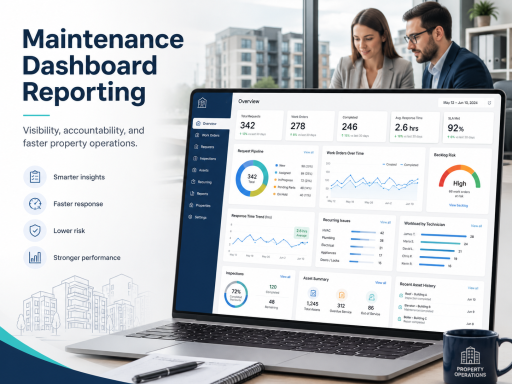
A closed-loop program requires measurement. Without reporting, inspections generate activity but not operational learning. With reporting, inspections become a performance engine: you see recurring issues, verify improvement, and manage workload and service levels across the portfolio.
Use maintenance dashboards and reporting to track inspection-driven performance indicators such as:
- Time from inspection finding to work order creation
- Time from creation to assignment
- Time from assignment to completion
- Reopen rate for inspection-triggered work orders
- Repeat finding rate during follow-up inspections
- Top recurring issues by unit, building, and property
These metrics are how property managers justify operational changes, staffing adjustments, and lifecycle replacements with evidence—not anecdote.
Role and Permission Design: Keep Oversight Strong Without Slowing Work
Inspection-to-work-order workflows cross multiple roles: inspectors document findings, managers approve (when needed), and technicians execute. If permissions are unclear, work stalls—or worse, unauthorized actions occur that compromise auditability.
Establish role-based clarity using user and role management so that:
- Inspectors can record findings and trigger follow-up actions within defined rules
- Managers control approval thresholds and prioritization
- Maintenance staff can update status and close work with documentation requirements
- Administrators maintain consistent configuration across the portfolio
When permissions match responsibilities, response time improves because the workflow no longer depends on informal coordination.
Implementation Checklist: Make It Operational in 30 Days
If you are building or upgrading this program, use this checklist as a practical starting point:
- Define inspection categories, severity rules, and required evidence
- Standardize outcomes (repair/replace/follow-up/monitor)
- Ensure findings are tied to the correct unit/building/property structure
- Configure trigger rules for work order creation by severity and category
- Set approval thresholds that protect budgets without slowing routine work
- Standardize assignment rules and “ready to work” information requirements
- Define closeout requirements and when re-inspections are mandatory
- Publish dashboards that track inspection-to-completion performance
Next Step
Inspection findings should never live in a separate universe from maintenance execution. When inspections, work orders, and reporting operate as one loop, property managers gain control, response time improves, and recurring issues decline.
To centralize inspection-driven maintenance as part of a unified workflow, implement an end-to-end operations platform using property maintenance software, and review options on the pricing page.
FAQ
What does “automatic” conversion mean in practice?
It means inspection findings follow defined trigger rules that create work order-ready items without manual retyping. Oversight is preserved through approval thresholds where needed.
How do I avoid generating too many low-value work orders?
Use severity and category rules to distinguish repair-worthy findings from monitor items. Queue low-impact items for batch approval or preventive scheduling rather than immediate execution.
How do I prove the program is working?
Track time-to-create, time-to-assign, time-to-complete, and repeat finding rates. Reporting tied to inspections and work orders makes improvement measurable across properties and units.