A maintenance SLA (service level agreement) is not a corporate formality—it is an operating system for your maintenance team. When response expectations live in emails, spreadsheets, or “tribal knowledge,” work becomes inconsistent: urgent issues wait too long, routine tickets interrupt higher-priority repairs, and residents lose confidence. A practical SLA policy sets clear response targets, defines priority tiers, and establishes escalation rules—then uses reporting to keep performance visible.
This guide provides a field-tested framework for building an SLA policy that property managers can implement across a portfolio. It also shows how to connect SLAs to adjacent operational modules—work orders, reporting, and inspections—so standards are measurable and enforceable. If you are consolidating maintenance operations into one system of record, start with property maintenance software.
What a Maintenance SLA Should Include
A useful SLA policy answers five questions clearly and consistently:
- Priority: How do we classify the request (emergency vs urgent vs routine)?
- Response time: How fast do we acknowledge and begin handling the request?
- Completion target: What is the expected timeframe to resolve (or reach a defined milestone)?
- Escalation: When and how does an item get escalated—and to whom?
- Measurement: Which KPIs will we track to manage performance?
SLAs work best when they align to the operational workflow that staff uses every day. That is why your SLA should be implemented inside your work order management workflow, not as a separate document no one references.
Define Priority Tiers That Match Operational Reality
Most SLA failures come from misclassification. If everything is “urgent,” nothing is urgent. A strong policy uses 3–4 tiers, each with explicit examples. Below is a practical model used widely in property operations:
| Priority Tier | Definition | Examples | Typical Response Target | Typical Completion Target |
|---|---|---|---|---|
| P0: Emergency | Safety, security, or major property damage risk | Active leak/flooding, no heat in extreme weather, fire hazard, gas smell | 15–60 minutes | Same day / immediate stabilization |
| P1: Urgent | Material impact to habitability or building operations | Refrigerator failure, partial plumbing issues, lock problems | Same day | 24–72 hours (or scheduled milestone) |
| P2: Routine | Non-critical repair with limited disruption | Minor fixture repairs, cosmetic issues, small adjustments | 1–2 business days | 3–10 business days |
| P3: Planned | Non-urgent work best handled in batches | Preventive tasks, low-impact replacements, scheduled improvements | 2–5 business days | Scheduled window |
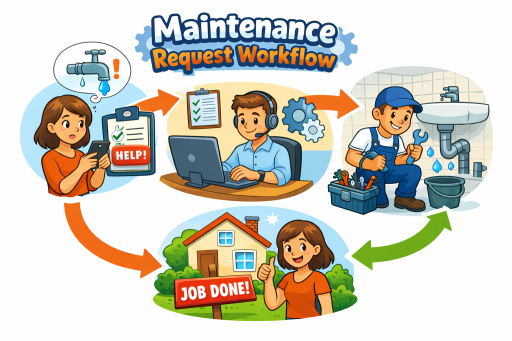
These targets should reflect staffing reality, vendor availability, and access constraints. The goal is consistency and transparency—then continuous improvement through analytics. A resident-facing intake flow also improves classification accuracy; structured intake reduces missing details and helps teams assign the right priority upfront. For that workflow, use a resident maintenance requests portal.
Separate “Response Time” From “Completion Time”
Property managers often set completion targets without defining response targets. Residents interpret silence as inaction, even when the team is working behind the scenes. A professional SLA distinguishes:
- Response time: acknowledgment and initial action (triage, scheduling, entry attempt).
- Completion time: resolution or a defined milestone (e.g., parts ordered, vendor scheduled, temporary mitigation).
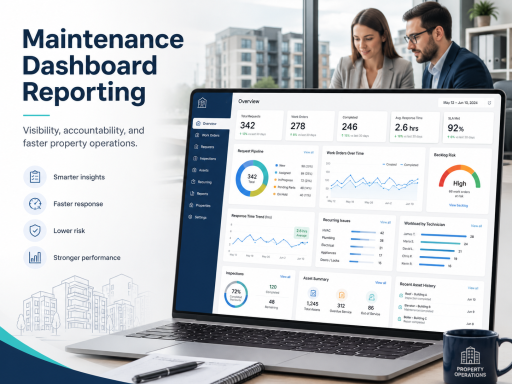
This matters for accountability because it makes performance measurable even when completion depends on external constraints. Your platform should reflect that distinction in statuses and timestamps, then surface it in reporting. That is why SLA enforcement is strongest when paired with maintenance dashboards and reporting.
Build Escalation Rules That Prevent SLA Breaches
Escalation rules turn an SLA from a guideline into a control mechanism. Define escalation based on:
- Age: ticket age since submission or last progress update.
- Priority: stricter escalation for P0/P1 items.
- Risk indicators: water, electrical, security, repeat occurrences.
- Access failures: multiple failed entry attempts without rescheduling.
For example, a P1 request might escalate to the property manager if it has no progress update within 24 hours. A P0 request might escalate to leadership if it is not stabilized within a defined window. To make escalation reliable, ensure permissions and responsibilities are unambiguous across managers, maintenance staff, and inspectors. This is where user and role management directly improves SLA performance.
Work Orders ↔ Reporting ↔ Inspections: Make SLAs Measurable and Verifiable
SLAs are only as strong as your measurement and verification. A closed-loop model connects:
- Work orders: standardized execution and status discipline.
- Reporting: SLA compliance by priority, property, and team.
- Inspections: verification and follow-ups when quality or compliance requires it.
Inspection workflows are especially important for high-risk categories (safety, habitability, compliance) because they confirm that “completed” actually means resolved. To close the loop, integrate inspection outcomes using property inspection software.
Properties/Units ↔ Assets ↔ Reporting: Use Context to Reduce Repeat SLA Failures
Portfolio context is the difference between managing tickets and managing operations. When every work order is tied to a location, you can measure SLA performance by unit, building, and property—then target the sites that need operational changes. This location structure is supported through property, building, and unit management.
Asset context further improves SLA performance because it reduces recurring incidents and repeated diagnostics. If a specific asset type consistently triggers urgent tickets, the correct response may be replacement planning rather than repeated repairs. Maintain asset history using asset installation records, then use reporting to connect repeat work orders to asset age and failure patterns.
KPIs to Track for SLA Compliance
A practical SLA dashboard should include a small set of metrics that drive action. Recommended KPIs:
- % within response SLA by priority tier (P0–P3)
- % within completion target by priority tier
- Average first-touch time (time to first action)
- Aging backlog (open items by age buckets)
- Repeat work rate (same unit/asset category within X days)
- Escalation rate by property/team (signal of process or staffing issues)
The objective is not to drown teams in metrics; it is to create visibility that prevents surprises and supports staffing, vendor decisions, and process improvements.
Implementation Checklist: Launch an SLA Policy in 10 Business Days
- Define tiers and examples (P0–P3) with stakeholders.
- Set response targets and completion targets for each tier.
- Establish escalation triggers (age, risk indicators, access failures).
- Standardize statuses and required notes for key transitions.
- Train teams on classification, updates, and closeout documentation.
- Publish dashboards and hold a weekly SLA review for the first 4 weeks.
- Refine targets based on actual performance and constraints.
CTA: Make Your SLA Policy Operational
If you want SLAs that improve accountability and response time, implement them inside a single workflow—intake, approvals, execution, inspections, and reporting—rather than across disconnected tools. Review plans and platform access on the pricing page.
FAQ
What is a reasonable response time SLA for property maintenance?
A common starting point is 15–60 minutes for emergencies, same-day for urgent items, and 1–2 business days for routine requests. Your targets should reflect staffing capacity, access constraints, and vendor availability, then be refined using performance reporting.
Should SLAs measure completion time or response time?
Both. Response time measures acknowledgment and initial action, while completion time measures resolution (or a defined milestone such as “parts ordered”). Tracking both improves resident communication and makes performance measurable even when resolution depends on external factors.
How do I enforce SLA standards across multiple properties?
Enforce consistent priority tiers, standardized statuses, and escalation rules across the portfolio, then measure compliance by property and team. Location-aware reporting highlights where staffing, vendors, or process changes are needed.